Kicking Off 2026

Since launching Classmoji last August, we’ve been heads-down building 🛠️. Here’s what’s new.
Multi-Classroom Organizations
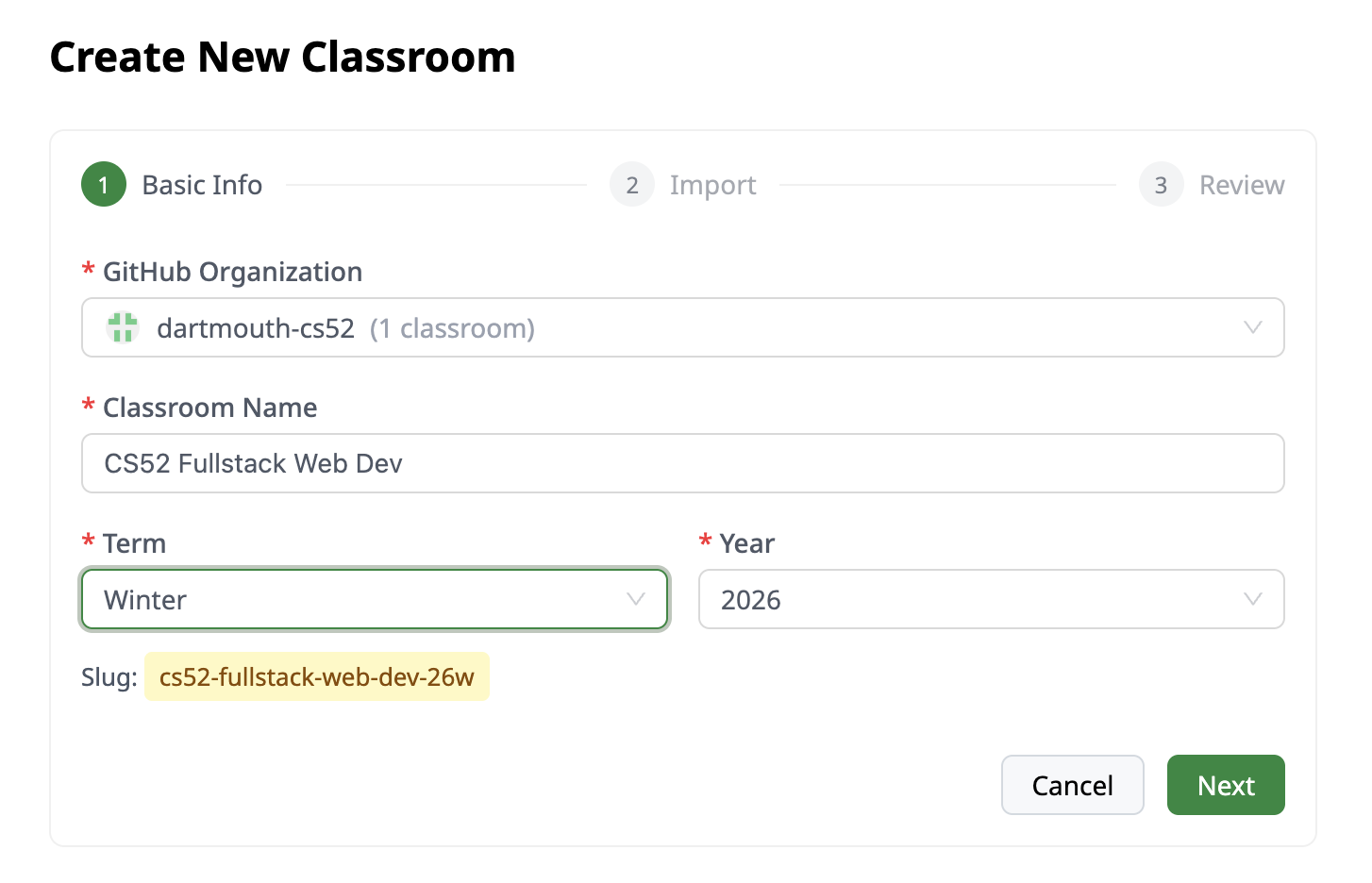
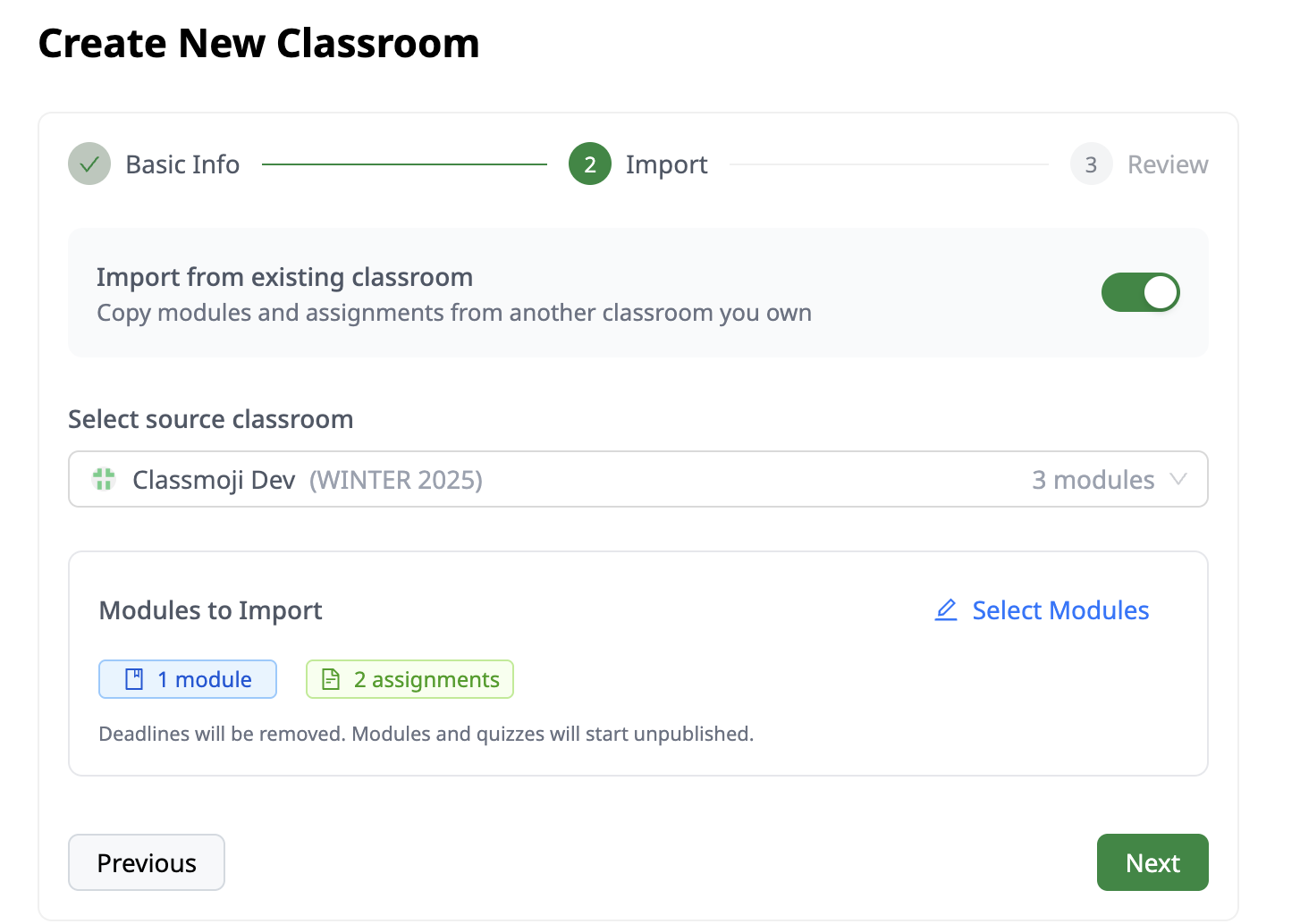
One of our most requested features ⭐. You can now create multiple classrooms under a single Github organization. Great for instructors who want to use the same org for all their classes but need separation between sections or terms. Starting a new semester? Clone all your modules from last term with one click, optionally stripping old deadlines. Each classroom automatically gets its own Github teams for students and TAs.
The import step lets you select exactly which modules and assignments to bring over.
Shared Calendar
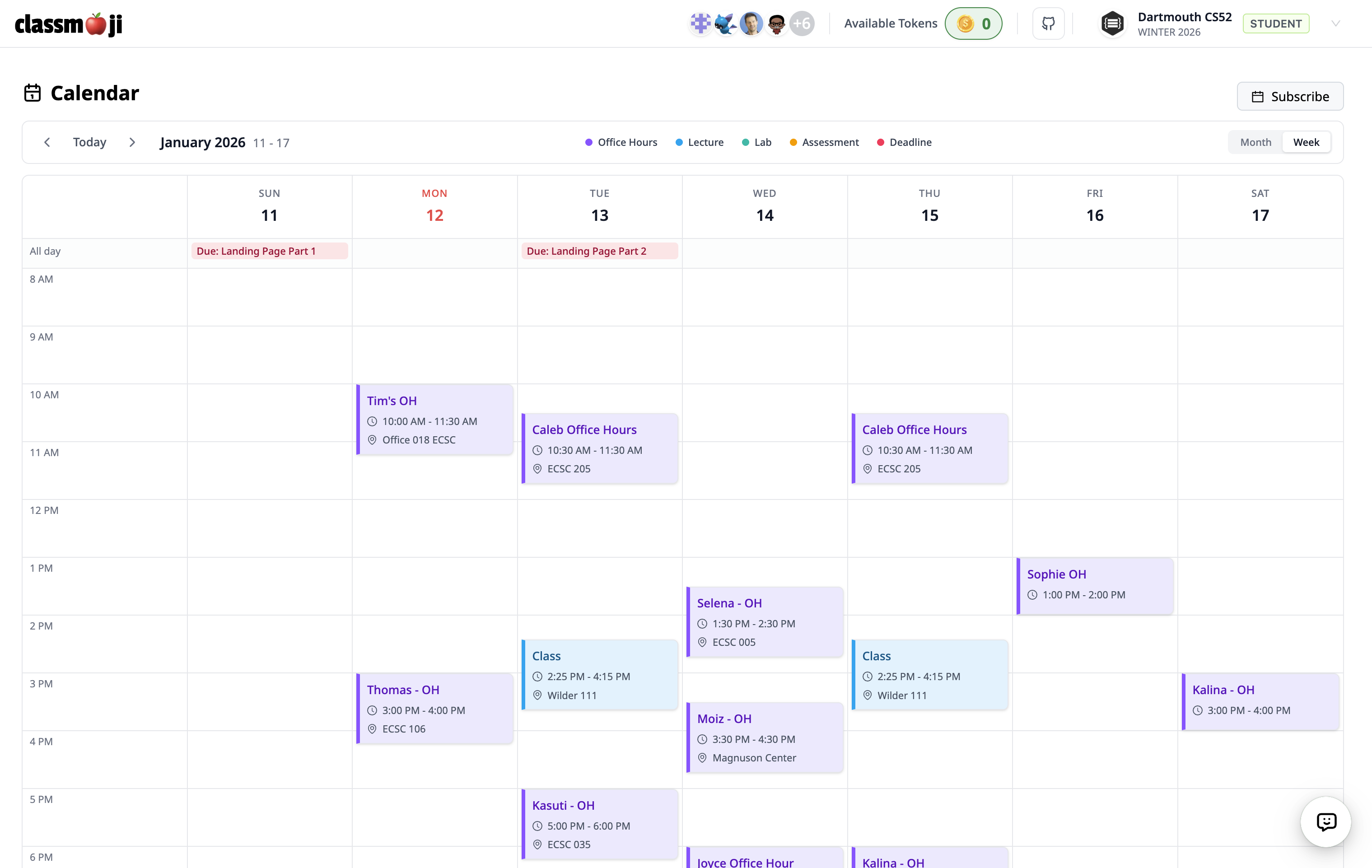
All assignment deadlines automatically show up in the calendar. Instructors can add lectures and labs, TAs can add their office hours, and everything supports recurring events. Students subscribe once and get updates in Google Calendar, Apple Calendar, or Outlook. No more “when is this due?” questions 📆.
Syllabus Bot
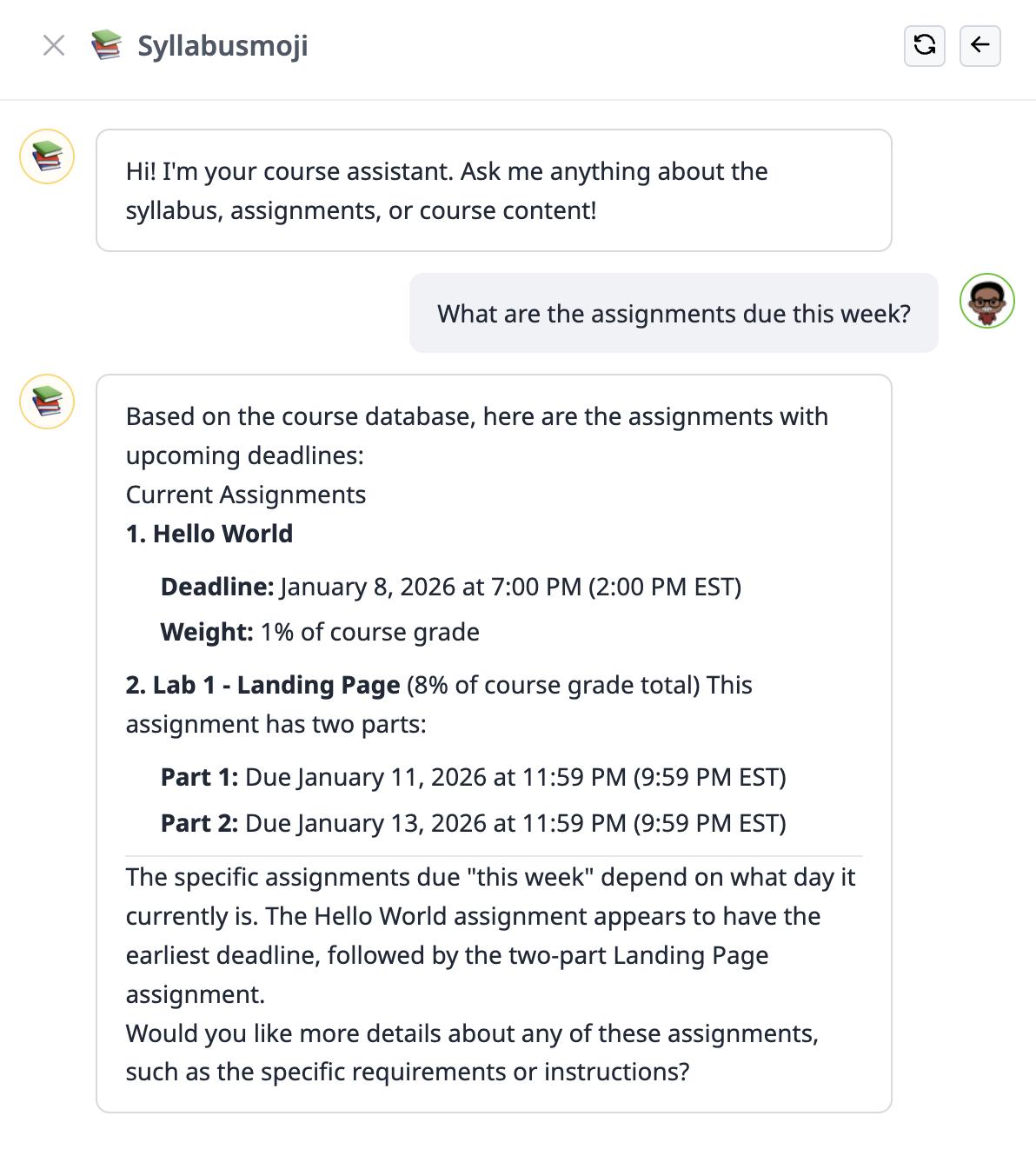
An AI assistant that lives on every page 🤖. Students can ask about deadlines, policies, and grades. It reads directly from your syllabus and course content on Github, so answers are always up to date.
For instructors, it goes further: view grade distributions, find students with missing submissions, and analyze performance trends across the class.
AI Quizzes
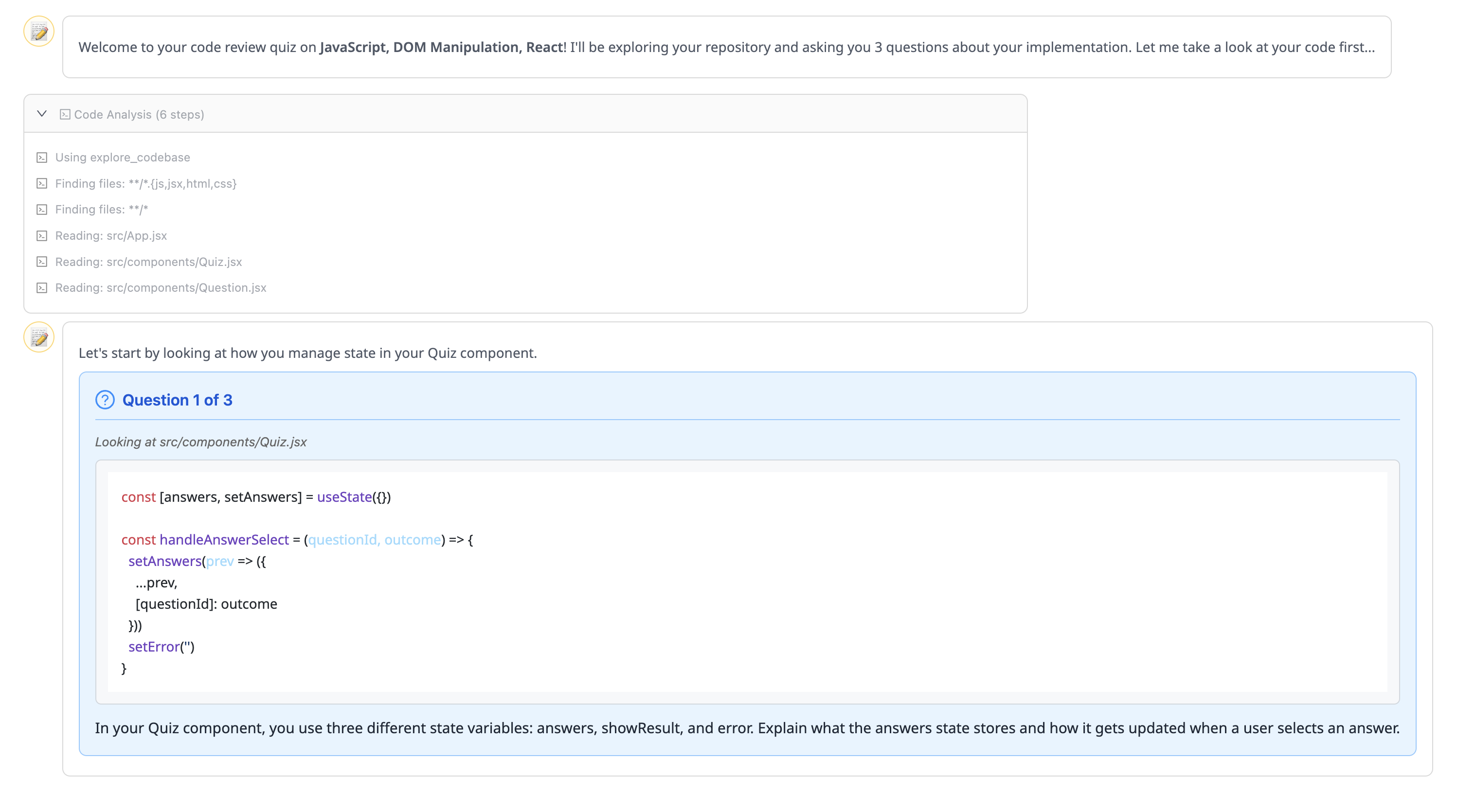
Our AI quiz system is live. Students have conversational assessments where an AI bot asks questions, follows up on answers, and provides real-time feedback. The system is designed to verify understanding, not just accept surface-level answers. If a student just says “yeah, that’s right,” the AI asks them to explain in their own words.
The twist: you can have the AI quiz students on their own code 🔥. It clones their repo and asks questions about their actual implementation decisions. Students see the AI reading their files in real-time as it formulates questions.
Slides & Pages
One principle guided us here: your resources should live where your code lives 💡. Both slides and pages are saved in your Github repo. When you start a new term, just copy the repo. Want to edit with AI? Pull locally, edit with your favorite tool, and push. No vendor lock-in.
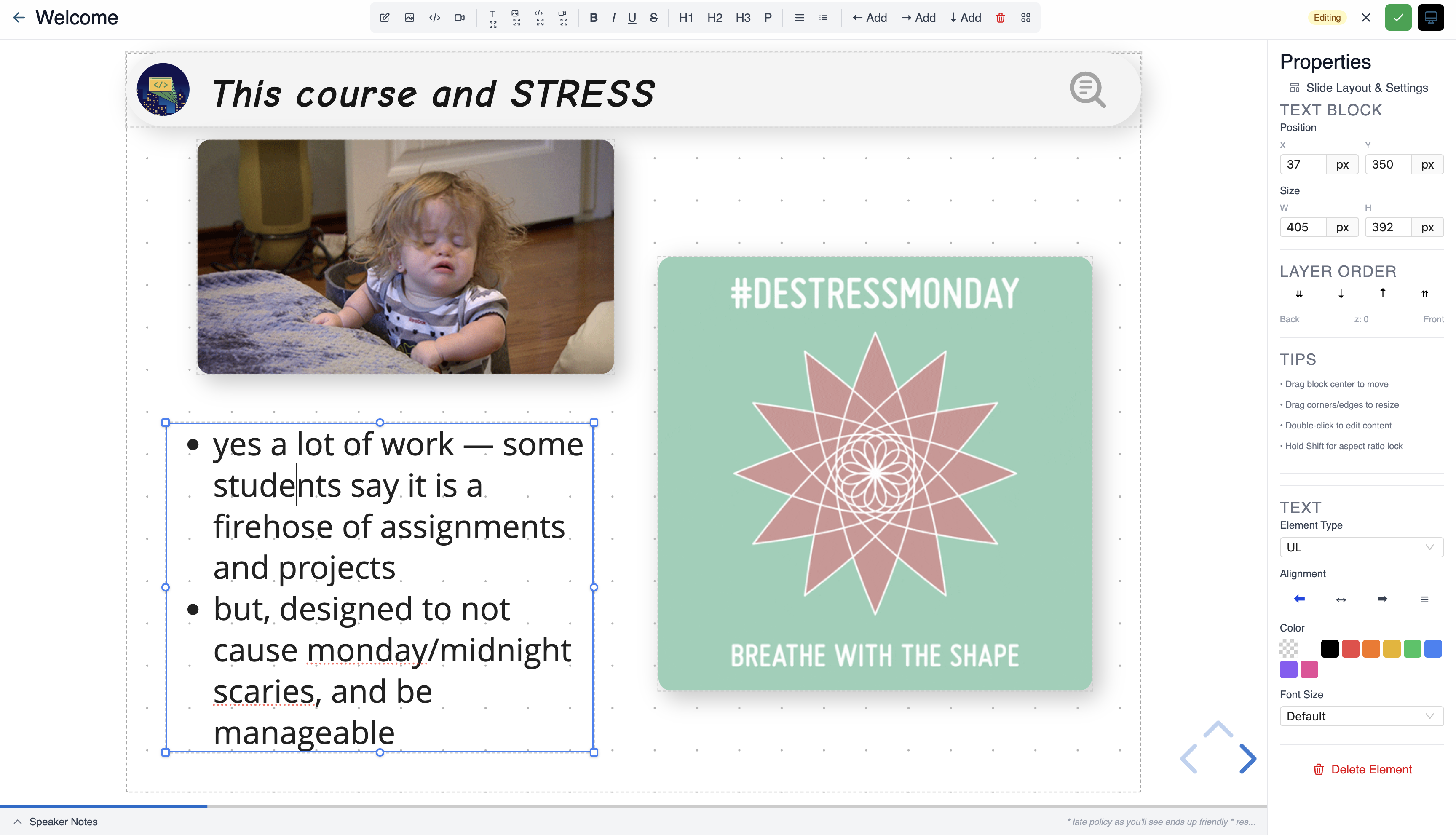
Slides is a full presentation platform built into Classmoji. Create beautiful, code-friendly slides without leaving the app.
- WYSIWYG editing: No markdown gymnastics, just click and type
- Code blocks with syntax highlighting for 16+ languages
- Live sync: Present to your class in real-time, students follow along automatically
- Speaker notes and 12 built-in themes
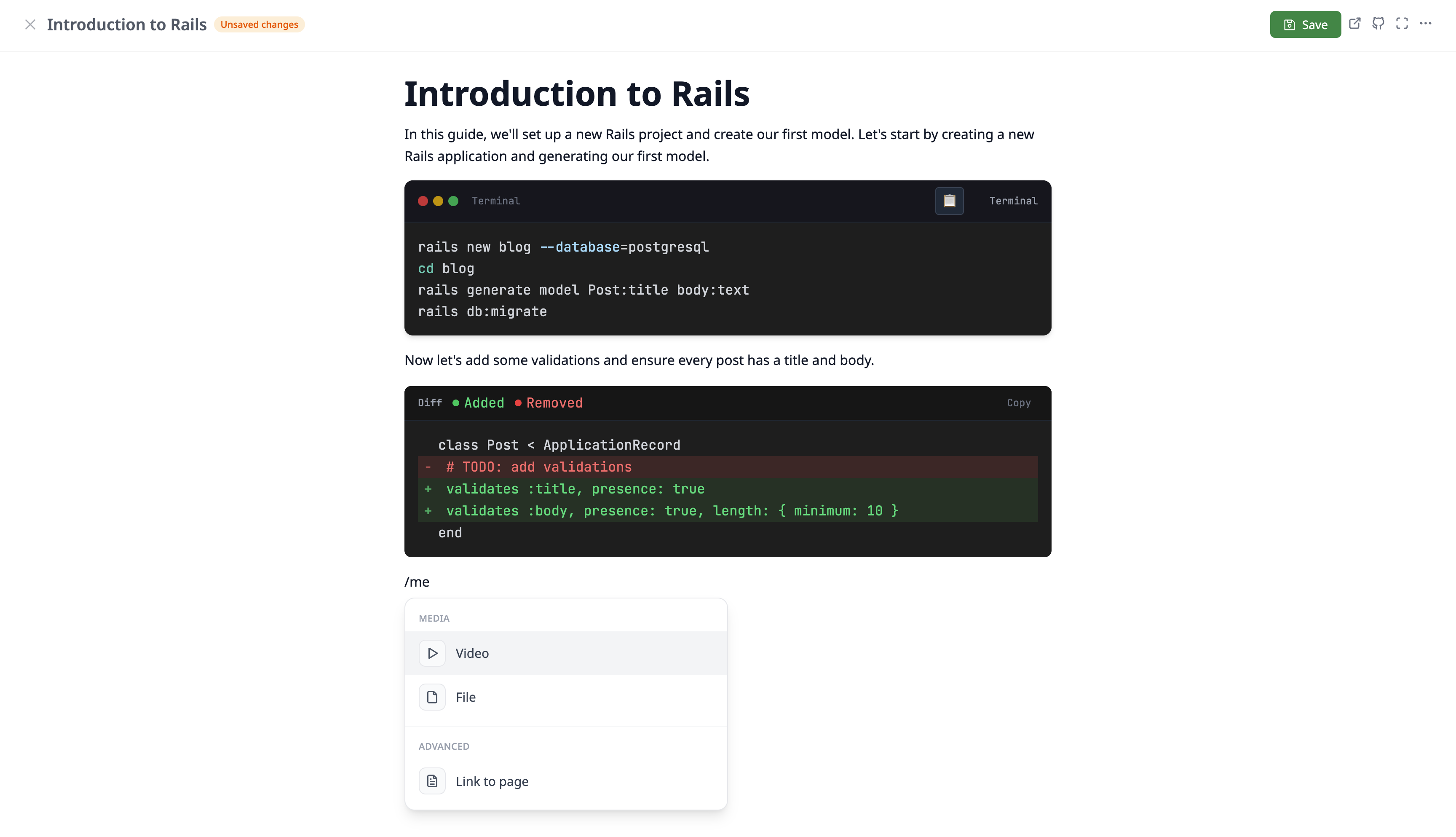
Pages are Notion-style documents with 19 block types designed for teaching. Build course content, assignment instructions, or documentation, all in one place.
- Terminal blocks: Styled like a real terminal
- Callouts: Highlighted tip boxes with an emoji
- Code blocks: Syntax highlighting across many languages
- Multi-column layouts: Arrange content side by side
- Embeds and video: Drop in external content and videos
- Page links: Reference another page in your classroom
Self-Formed Teams
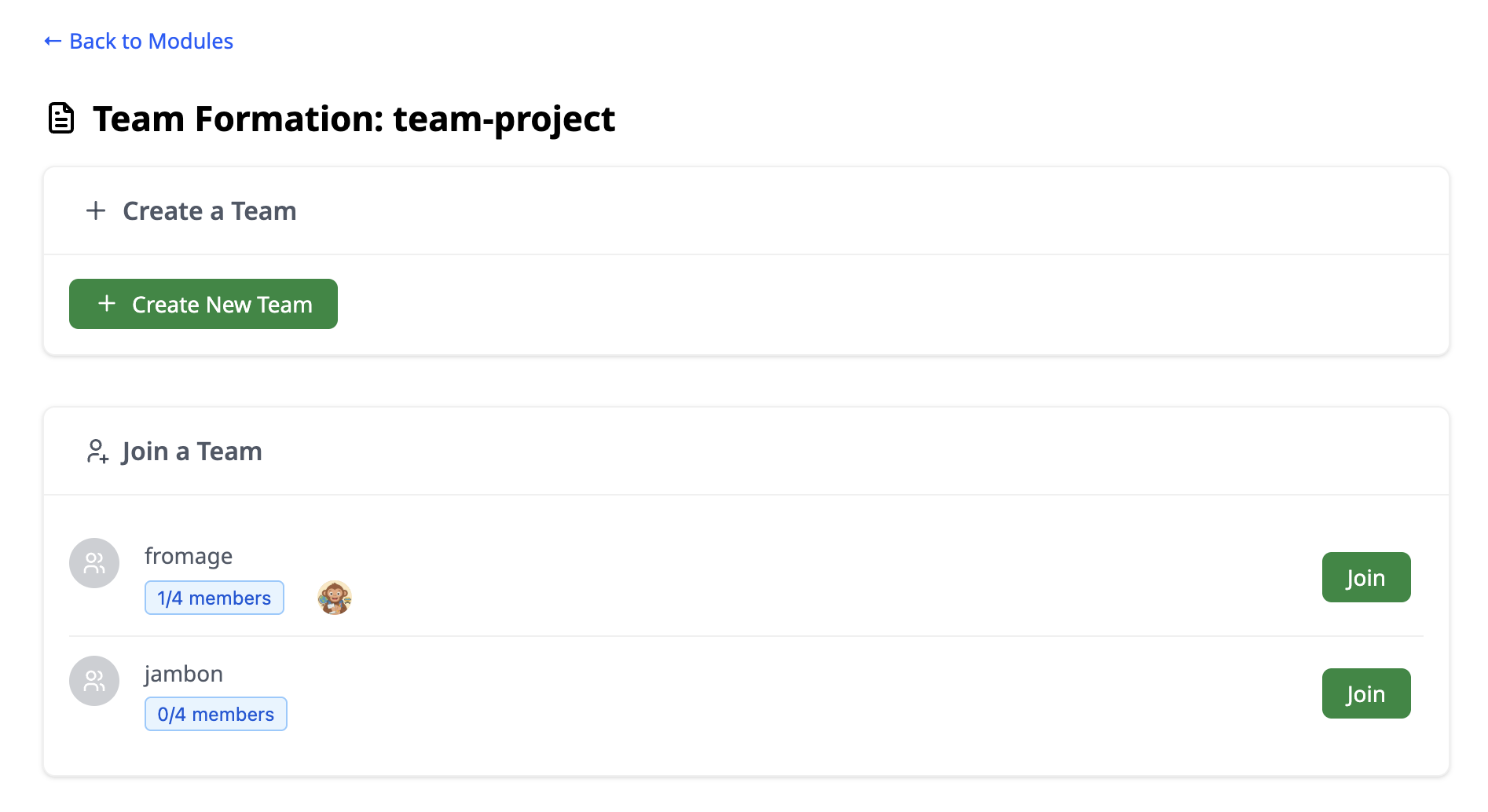
For group assignments, instructors can now choose: assign teams yourself, or let students form their own. When self-formation is enabled, students can create or join teams up until a deadline you set. Perfect for classes with multiple group projects where teams change throughout the term.
What’s Next
We’re just getting started 🌱. If you have ideas or feedback, reach out. We’d love to hear from you.